
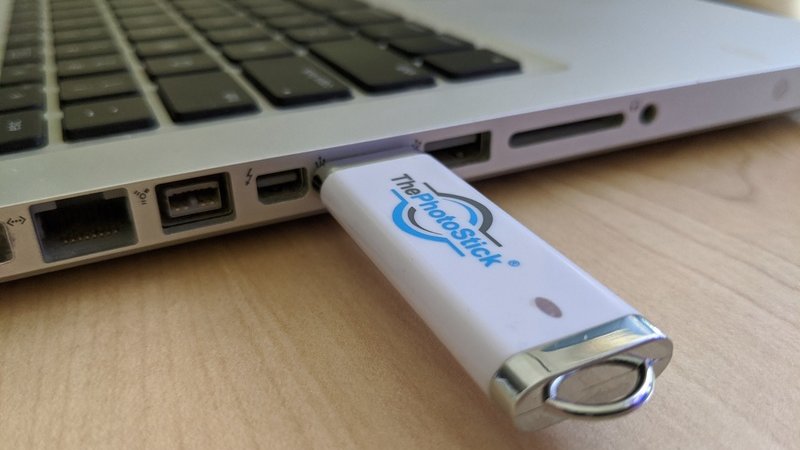
Most people’s photos live in exactly one place, a phone or a laptop, which means one cracked screen or one dead drive away from gone. That’s the quiet risk ThePhotoStick is built to fix, and it’s the reason the one-click stick keeps selling.
ThePhotoStick is a USB stick for your PC or Mac with the backup software built in. You plug it in, click once, and it finds your photos and videos and copies them onto the stick, no account, no install, no cloud bill.
In our best photo stick roundup it takes the top spot, and this is the long version of why.
The honest math is worth doing. The 64GB sells for about $49.99, which works out to roughly $0.78 a gigabyte, versus about $0.20 a gigabyte for a bare USB 3.0 drive.
You’re not paying for storage. You’re paying for the one click that does the finding and sorting for you, and for a lot of people that trade is worth it.
For this review we read the maker’s specs and return terms, checked the sizes and prices on the official store, and set it against how these one-click backup sticks actually perform. The short version: for computer users who’ll never otherwise get around to a backup, it’s a genuinely useful buy.
Pros and cons
What we liked
- One click finds, copies and sorts your photos and videos, with no software to install
- Stores everything on the stick itself, so there's no cloud account and no monthly fee
- Skips duplicates automatically, so you're not saving the same photo three times
- Comes in 64GB, 128GB and 256GB, with a 30-day money-back guarantee
What we didn't
- Only available online
Who it’s for
If you’ve got years of photos sitting on one PC or Mac and you keep meaning to back them up, ThePhotoStick is aimed squarely at you. It turns the chore you avoid into a one-click job you finish in an afternoon, and the 30-day money-back guarantee means you can try it on your real library before you commit.
It’s also the easy gift for a parent or grandparent who isn’t going to wrestle with cloud settings. Plug it in, click, done.
Look elsewhere if you’re comfortable copying folders yourself, since a bare drive plus free software is cheaper, or if the photos you’re worried about live on your phone rather than a computer. For phones, you want the Omni model instead, which our best photo stick guide covers.
Try ThePhotoStick with the 30-day guaranteeWhat ThePhotoStick actually is
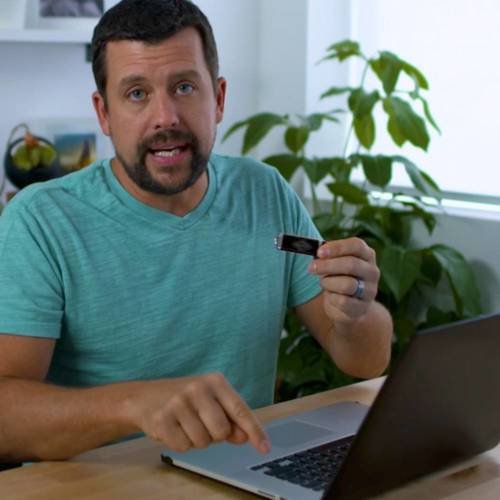
ThePhotoStick is a USB flash drive with one-click backup software baked onto it, built for Windows and Mac computers. There’s nothing to download and nothing to set up. The program runs the moment you plug the stick into a USB-A port.
Click the button and it scans your computer, finds every photo and video, and copies them onto the stick, then organizes them so you can actually find them later. It works offline and keeps your files on the stick, not in a cloud account, so there’s no subscription and nothing to log into.
The computer line comes in 64GB, 128GB, and 256GB, and the maker says a stick holds up to 60,000 photos and videos. Treat that as a best case with small files. A library heavy on 4K video and high-resolution phone shots fills up quicker, so size up if you’re unsure.
How the one-click backup works
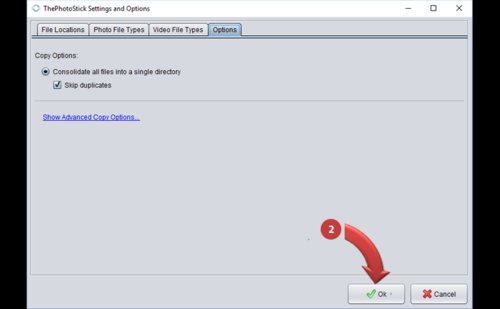
The whole pitch rides on that single click, and the useful detail is what happens after it. The software hunts down photos and videos scattered across your drive, the ones in old download folders and buried subdirectories you forgot about, and pulls them together in one place on the stick.
It also skips duplicates, so the same holiday photo saved in three folders lands on the stick once, not three times. That’s the setting most people don’t think about and the one that saves the most space.
The sales page glosses over one thing: it’s slower than dragging files across yourself. A big library can take a while on the first run, because the stick’s write speed is modest. You start it, walk away, and come back to a finished backup. For a once-in-a-while safety copy, that’s a fair trade for not lifting a finger.
Price, sizes, and the guarantee
ThePhotoStick sells direct on the official site in three computer sizes, and it’s regularly discounted from its list prices. When we checked, the 64GB ran about $49.99 (down from $89.99) and the 128GB about $79.99 (down from $159.99), with the 256GB at the top for the largest libraries.
The safety net is the reason it’s a low-risk buy. ThePhotoStick backs every order with a 30-day money-back guarantee, so you can run it on your actual photo collection and send it back if it isn’t for you.
One buying tip: pick the capacity one size above your current library, not an exact fit. Photo collections only grow, and the stick is the kind of thing you plug in every few months to catch the new ones, so a little headroom saves you buying a second one next year.
Check today's ThePhotoStick priceWhat buyers say, and the honest caveats
On the maker’s own pages ThePhotoStick shows around 4.5 stars, and the reviews are the brand’s curated selection, so read them as encouragement rather than proof. The recurring praise is the obvious one: people who’d been meaning to back up for years finally did it in an afternoon.
The fair counterweight comes from independent reviewers and Walmart buyer ratings. The speed is modest, the maker’s 60,000-photo headline assumes small files, and anyone comfortable with a computer can match the result with a cheap drive and free backup software. None of that is hidden damage, it’s the honest shape of a convenience product.
Weigh it for what it is. If the barrier between you and a backup has always been effort rather than money, this removes the effort, and that’s exactly what most buyers are paying to solve.
How it compares to Picture Keeper
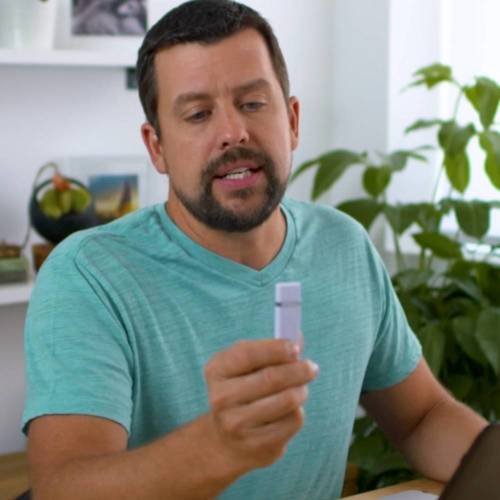
The other name shoppers weigh against it is Picture Keeper, and the split comes down to where your photos live. Picture Keeper’s headline product is its Connect stick, a four-in-one that plugs straight into a phone with USB-C, Lightning, Micro-USB and USB-A, which makes it the better pick if your photos are stuck on an iPhone or Android.
ThePhotoStick’s computer version is simpler and usually cheaper for its one job: backing up a PC or Mac. Picture Keeper’s Connect starts around $74.99, above ThePhotoStick’s 64GB.
Honestly, for pure computer backup I’d take ThePhotoStick on price and simplicity, and reach for Picture Keeper’s Connect only if phone photos are the real worry. Our ThePhotoStick vs Picture Keeper comparison runs the two head to head, and the best photo stick roundup ranks both against the field. There’s more storage and backup gear in the tech hub.
Verdict
ThePhotoStick earns a 9.2. Taken for what it is, a one-click backup stick for your computer that finds, copies and sorts your photos with nothing to install and no cloud bill, it does the job people buy it for and removes the one thing that usually stops them: effort.
Match it to a PC or Mac with a photo library you’ve been meaning to protect, buy a size up from what you need today, and the 30-day money-back guarantee turns a backup you keep putting off into an afternoon that’s finally done.
See today's ThePhotoStick price