
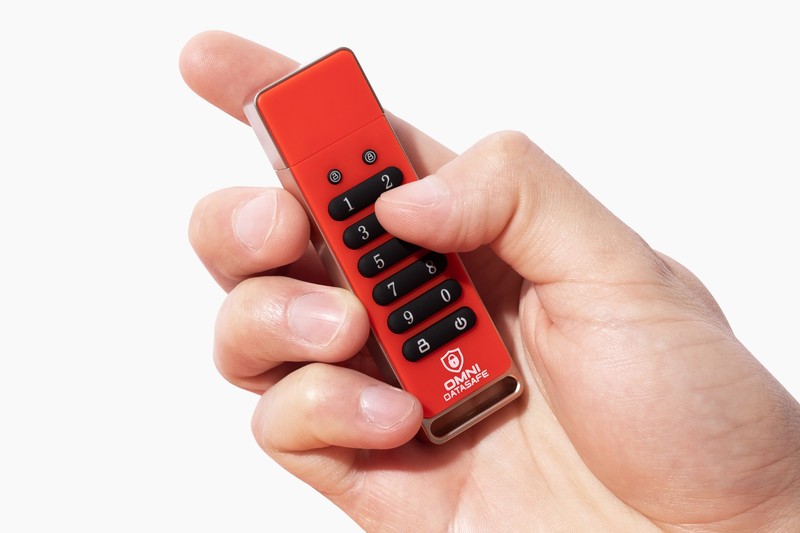
A normal USB stick is a disaster waiting to happen, because the day you lose it, whoever finds it reads everything on it. The Omni DataSafe is the fix: a drive you unlock with a PIN typed on the device itself, so a lost drive is just lost hardware, not a leaked life.
Tax returns, passport scans, a password list, the will. Most people keep those somewhere a thief or a lost laptop can reach. A locked drive moves them somewhere a code protects.
For this Omni DataSafe review we read the maker’s specs, checked how the drive and its software actually work, compared the price against the enterprise keypad drives it resembles, and weighed the honest limits. We didn’t lab-test the encryption, so the technical figures are the manufacturer’s, framed against how hardware-encrypted drives are known to behave.
What the Omni DataSafe actually is
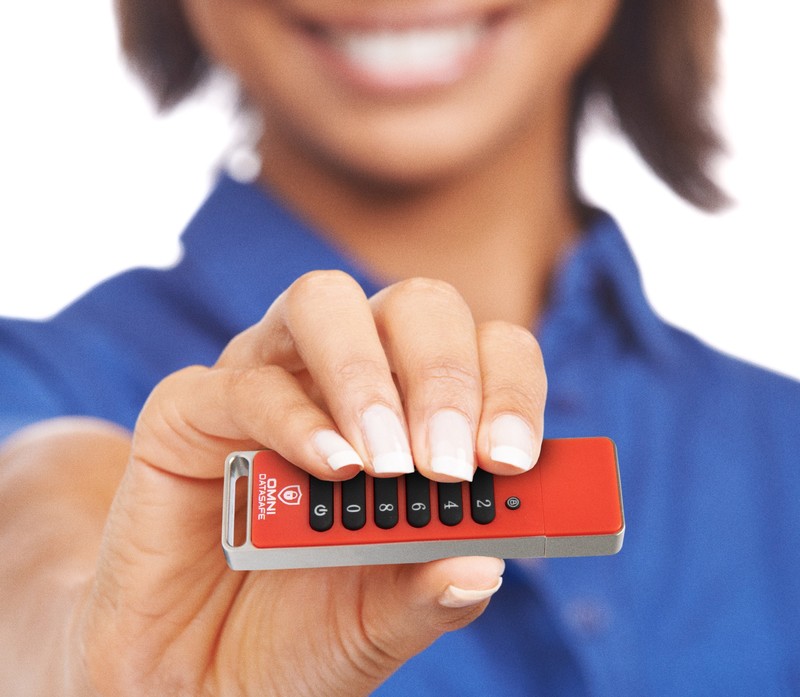
The Omni DataSafe is a hardware-encrypted USB flash drive with a physical PIN keypad built into the body. You set a code, type it on the drive’s own buttons, and only then does it mount on your computer.
The lock lives on the drive, not the computer. It uses AES-256 encryption handled on the device itself, so your files are scrambled the moment they land on it, and your PIN never travels through the machine, where malware could watch it.
It’s made by Prairie IT, a Colorado company, and it’s a 32GB drive, framed as room for 600,000-plus documents. That capacity tells you what it’s for: records, scans, spreadsheets, and passwords, not a movie library.
Put the price next to the drives it copies and the pitch sharpens. Kingston’s IronKey Keypad 200 runs about $195 for 32GB, and keypad drives from Apricorn and iStorage start around $60 to $100. The Omni DataSafe lands near $79 and throws in software those drives never include. That gap is the reason it’s worth a look.
The keypad is the whole point
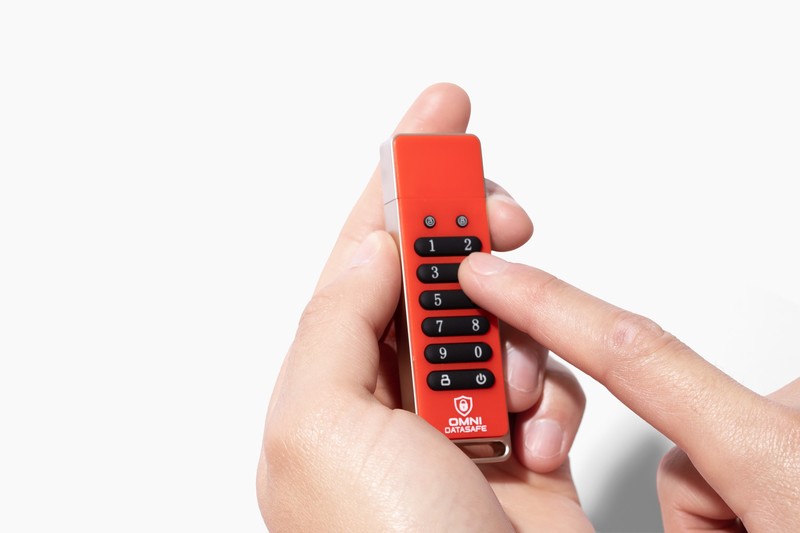
Software encryption lives and dies by the computer it runs on. A keylogger, a shoulder-surfer, or a borrowed laptop can all get between you and your files. The Omni DataSafe sidesteps that by moving the lock onto the hardware.
You enter the PIN on the drive before it ever talks to the machine. Nothing to install, nothing typed into a login box, no app that can be screenshotted. The drive is built to wipe itself after repeated wrong entries, so a found or stolen drive doesn’t give a patient attacker unlimited guesses.
That’s the quietly reassuring part. Lose it on a train and you’ve lost a piece of plastic, not your identity. The files are unreadable without the code, full stop.
The software nobody else bundles

This is where the Omni DataSafe separates from the enterprise drives. It ships with companion software for bill tracking, asset management, estate planning, and password management, run from the encrypted drive itself.
That framing is smarter than it first sounds. The drive holds the documents behind your estate and your logins, locked in one place. A keypad IronKey gives you an empty vault. This one comes with the filing system already inside.
One beyond-the-brochure point: the software is a bonus, not a requirement. The drive works as a plain encrypted stick on Windows, macOS, and Linux whether or not you ever open the companion app. If the extra tools aren’t your thing, ignore them and you still have a solid keypad drive.
Setup, speed, and the honest limits
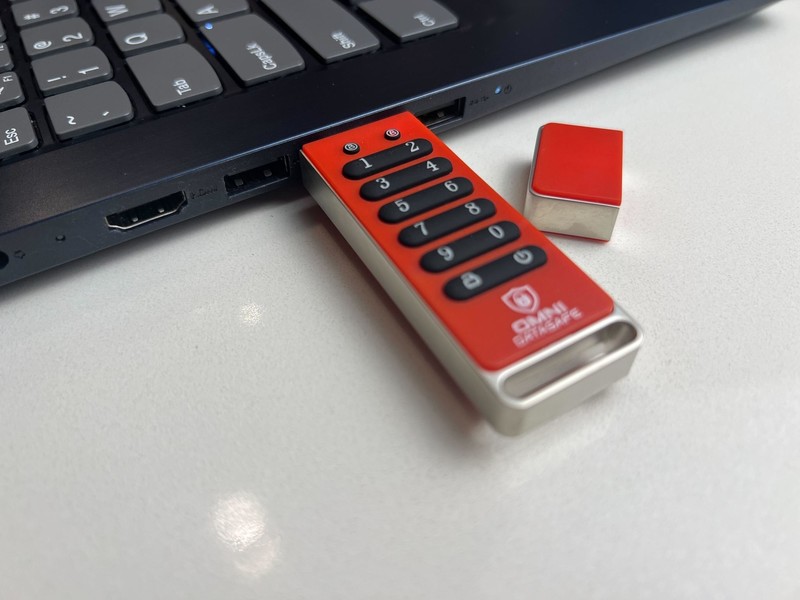
Getting going is genuinely simple. Plug it in, set your PIN on the keypad, and it mounts like any drive. There’s no account, no driver, and no software install needed to use the encryption, which is the part people most often get wrong about these drives.
Now the honest limits, because a recommend-only writeup still owes you the real picture. The Omni DataSafe doesn’t carry a formal FIPS certification, the government-grade stamp that drives like the IronKey and iStorage datAshur advertise. For personal documents, passwords, and records, consumer-grade AES-256 is plenty. If you specifically need a certified drive for regulated work, that’s a different shelf.
The other thing to know up front: it’s a 32GB document drive, so treat it as a secure home for files that matter, not a bulk media stick. Match it to the job and it’s well sized. The company backs it with a 30-day money-back guarantee and free US shipping, so you can load it with real files and send it back if it isn’t for you.
What buyers and reviewers say
Independent coverage is thin and mostly from affiliate and PR sites, so weigh it lightly, which is exactly why we leaned on the specs instead. The consistent thread across those writeups is that the drive does what a keypad encrypted drive should: it locks, it wipes after bad guesses, and it mounts cross-platform without fuss.
Buy it direct so the 30-day guarantee and support cover you, and set your PIN before you load anything sensitive.
Check today's Omni DataSafe priceHow it compares
If you want the certified, enterprise version of this idea, Kingston’s IronKey Keypad 200 is FIPS 140-3 and built for compliance work, at roughly $195 for the same 32GB. Apricorn’s USB-C Aegis Secure Key and iStorage’s rugged datAshur PRO2 are the other serious keypad drives, and we rank all of them against the Omni DataSafe in our best encrypted USB flash drive guide.
The Omni DataSafe wins on price and on the bundled estate and password software, and it loses only the certification badge. For protecting the documents behind your digital estate and keepsakes, that’s a trade most people will happily make. More gear worth a look lives in our tech hub.
What we liked
- AES-256 hardware encryption with a physical PIN keypad, so the lock never touches your computer
- Bundled software for bills, assets, estate planning, and passwords that keypad rivals don't include
- Plug-and-play on Windows, macOS, and Linux with nothing to install
- Around $79, well under the roughly $195 Kingston IronKey for the same 32GB
What we didn't
- Only available online
Who it’s for
Buy the Omni DataSafe if you want real hardware encryption for the documents, passwords, and records that would hurt most to lose, without paying enterprise prices, and you like having estate and password tools built into the same locked drive. For most people securing personal files, that’s the sweet spot.
It’s not the pick if you need a FIPS-certified drive for regulated work, or a high-capacity stick for media. For everyone protecting the files that matter at home, one $79 keypad drive handles it.
Verdict
The Omni DataSafe earns a 9.2. It nails the practical brief: a 32GB keypad drive with AES-256 hardware encryption, self-wipe protection, and plug-and-play use across every major operating system, for about $79. The bundled estate and password software is a genuine extra that the pricier enterprise drives simply don’t match.
It trades the enterprise FIPS badge for a consumer price, which for personal files is exactly the right call. For locking down your most important documents behind a code only you know, the Omni DataSafe is an easy drive to recommend.
See the current Omni DataSafe deal